

✦
AI Prompt
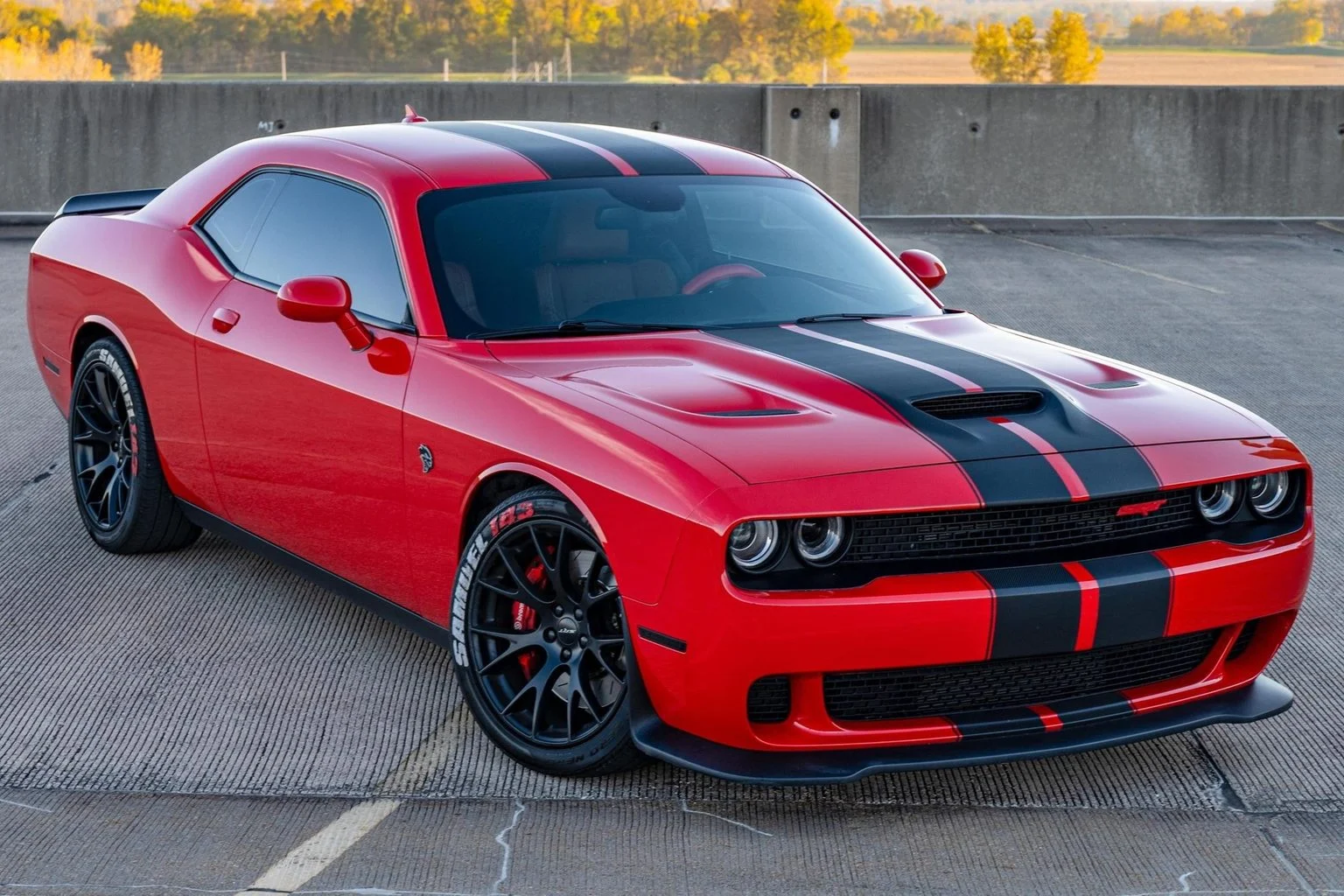
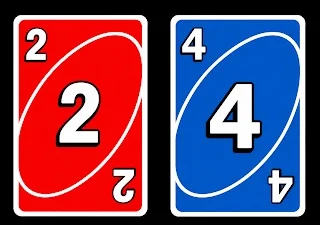
Create a **10-second photorealistic image-to-video recreation of the uploaded reference video**. ### REFERENCE PRIORITY — CRITICAL Use the uploaded references as follows: **REFERENCE IMAGE 1 — MY PHOTO** Use this as the ONLY identity reference for the main person. Preserve my exact face, facial proportions, eyes, eyebrows, nose, lips, jawline, skin tone, hairstyle and overall identity throughout the entire video. **REFERENCE IMAGE 2 — MY CAR PHOTO** Use this as the exact visual reference for the car. Preserve the exact car model, body shape, color, paint finish, wheels, headlights, windows, proportions and distinctive details. **REFERENCE IMAGE 3 And IMAGE 4— MY CARD PHOTO** Use this as the exact visual reference for the cards. Preserve the exact card design, colors, symbols, artwork, proportions and appearance. **REFERENCE VIDEO** Use the uploaded video ONLY as the motion and cinematography reference. Recreate its: – exact sequence of actions – timing – body movements – hand gestures – head movements – camera movement – framing – subject positioning – reveal timing – interaction between person, cards and car – final composition Do NOT copy the identity of the original person. Replace the original person completely with the person from MY PHOTO. — ## CONTINUOUS SHOT The entire video must feel like **one continuous real handheld recording**. No hard cuts. No scene transitions. No teleportation. No sudden location changes. Every action must physically continue from the previous action. Maintain consistent: – environment – lighting – clothing – face – hairstyle – body proportions – car position – camera perspective — # SHOT TIMELINE ### 0:00–0:03 — OPENING Start with me close to the camera in the same general composition and environment as the reference video. I face the camera with a natural, energetic expression. Reproduce the same subtle head movement and body movement from the reference video. I behave naturally as though I am speaking to the person filming. Keep the camera handheld with subtle natural smartphone movement. Do not introduce the car prominently yet. Maintain my exact identity from Reference Image 1. — ### 0:03–0:04.5 — CARD REVEAL Reproduce the exact card gesture from the reference video. I naturally raise my hand toward the camera. The hand moves physically from beside my body toward the lens. Bring the cards from Reference Image 3 close to the camera. The cards become a large foreground element and partially cover my face, matching the reference video’s composition. The cards must remain physically attached to my hand. Correct: – finger placement – hand anatomy – card thickness – perspective – depth – motion blur – realistic shadows Do NOT make the cards appear through a magical effect. After the reveal, naturally pull the cards away from the camera. — ### 0:04.5–0:06.5 — CAR REVEAL As the cards move away, reveal my car from Reference Image 2 behind me. The car must already exist physically in the environment. It must NOT suddenly materialize. I notice the car and turn my head toward it. Then naturally rotate my upper body toward the car. Match the timing and direction of the reference video. Keep the car in the same relative position throughout this section. The vehicle must retain the exact appearance from Reference Image 2. — ### 0:06.5–0:09 — SHOWING THE CAR I gesture toward my car as if proudly showing it to the camera. Reproduce the same pointing/showing movement from the reference video. Then naturally turn back toward the camera. The car remains clearly visible behind me. Do not change the car design, color, wheels or proportions. Maintain realistic interaction between my body and the environment. — ### 0:09–0:10.5 — HAND/FACE GESTURE Reproduce the reference video’s close hand gesture. Bring my hand/finger naturally toward my mouth/face. The movement must be anatomically correct and continuous. No extra fingers. No warped hands. No disappearing fingers. Maintain my facial identity exactly. — ### 0:10.5–0:12.8 — EXCITED REACTION Reproduce the energetic reaction from the reference video. Turn toward the car again. Raise my arms/hands in the same excited gesture. The movement should be quick, natural and physically believable. Clothing, hair and body movement must react naturally. The camera should respond with subtle handheld movement. Do not introduce dramatic cinematic camera movements. — ### 0:12.8–0:15 — FINAL CAR HERO SHOT Reproduce the final movement of the reference video. I move toward the edge of the frame, allowing the car to become the dominant subject. The camera naturally settles toward the car. Show the complete car clearly. My hand may briefly enter from the edge and point toward the car, matching the reference. End on the car in a strong final composition. Hold the final shot briefly. — # CAMERA Match the reference video rather than inventing a new camera style. Use: – handheld smartphone camera – eye-level perspective – natural wide/medium-wide lens – subtle handheld shake – realistic autofocus – slight focus breathing – natural motion blur – realistic exposure changes – authentic creator/influencer video feeling The camera should feel like a real person is filming this on a phone. NO: – drone movement – crane movement – 360° camera – extreme cinematic dolly – unnecessary zoom – artificial camera shake – random camera cuts — # REALISM Photorealistic live-action footage. Real human anatomy. Realistic skin texture. Realistic hair. Realistic clothing physics. Realistic hand movement. Realistic card movement. Realistic car reflections. Realistic nighttime/environmental lighting. Natural depth of field. Natural motion blur. The result should look like an actual video recorded in real life, NOT an AI-generated commercial. — # IDENTITY LOCK My face must remain identical to Reference Image 1 from beginning to end. Do not: – change my face – beautify my face – slim my face – change my eyes – change my nose – change my lips – change my jaw – change my skin tone – change my hairstyle – change my apparent age – replace me with another person Maintain identity even when my face is partially covered by the cards. — # CAR LOCK Reference Image 2 is the absolute source of truth for the vehicle. Do not alter: – model – body shape – paint color – wheels – headlights – windows – grille – proportions – distinctive design elements The car must remain the same vehicle throughout the entire video. — # CARD LOCK Reference Image 3 is the absolute source of truth for the cards. Preserve: – exact card appearance – colors – symbols – artwork – dimensions – orientation Cards should remain sharp and recognizable when close to the camera. — # NEGATIVE INSTRUCTIONS NO identity drift. NO face morphing. NO different person. NO changing clothes. NO changing hairstyle. NO extra people. NO extra cars. NO car transformation. NO changing car color. NO changing car model. NO card transformation. NO floating cards. NO teleporting objects. NO disappearing objects. NO duplicated objects. NO extra fingers. NO missing fingers. NO deformed hands. NO warped face. NO body distortion. NO unnatural limb movement. NO scene cuts. NO random transitions. NO time jumps. NO slow-motion unless present in the reference. NO excessive cinematic effects. NO CGI appearance. NO cartoon appearance. NO plastic skin. NO artificial beauty filter. NO oversaturated colors. NO fake-looking reflections. The final result must look like **the same reference video was recreated with me, my exact car, and my exact cards**, while preserving the original video’s movement, timing, gestures and camera behavior.
✓ Prompt Copied Successfully!