

Want to create viral Motu Patlu AI videos or funny images that grab attention on Instagram Reels, YouTube Shorts, and TikTok? You’re in the right place. In this article, you’ll get high-quality Motu Patlu funny AI photo and video prompts that help you create realistic and entertaining content in minutes.
These prompts work with popular AI tools like ChatGPT Images, Gemini, Flux, Grok, and other AI image generators. Just copy, paste, and customize the prompt to create unique Motu Patlu scenes with your own ideas.
Whether you’re a content creator or just making videos for fun, these AI prompts will help you create eye-catching content that has the potential to go viral.
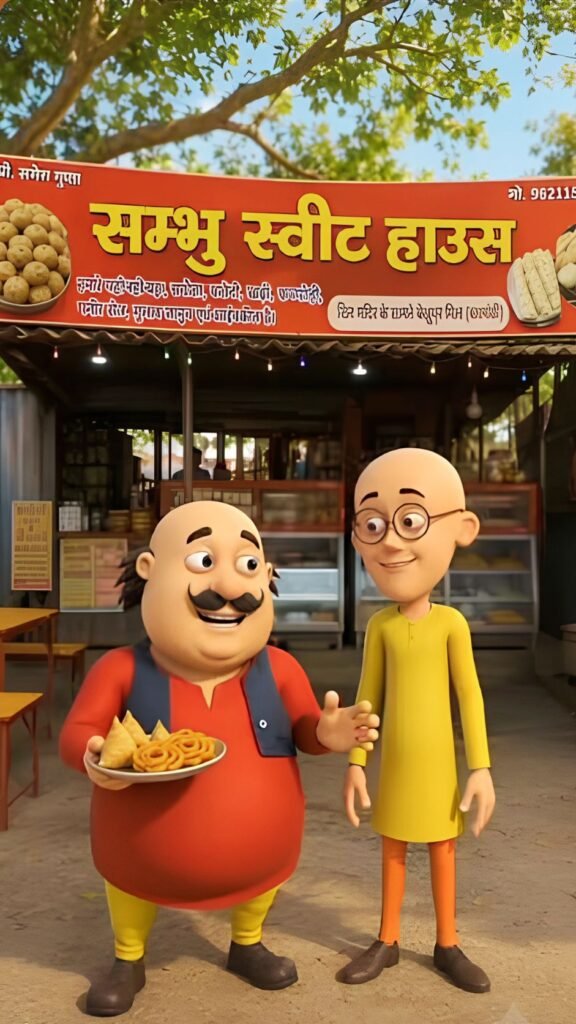
Image Prompts:-
Use the uploaded shop photo as the reference. Keep the shop exactly the same. Add Motu and Patlu standing naturally in front of the shop Motu pointing toward the shop and Patlu smiling while presenting it. Preserve their original cartoon appearance and blend them realistically with matching lighting, shadows, and perspective. Do not change any text, logo, or part of the shop. Vertical 9:16
Video Prompts:-
Characters: [Motu Character 1], [Patlu Character 2],

Use the uploaded image as the exact character reference. Keep the same character(s), appearance, and original art style. Animate only the character(s) with realistic lip sync, natural facial expressions, eye blinking, head movement, and hand gestures while speaking in Hindi

[Motu Charcter 1]
आज हम आये है लखनऊ के पूजा मेडिकल स्टोर पे |

[Patlu CHARACTER 2] यहाँ आपको कम दाम में सस्तीअच्छी दवाइयाँ मिल जाएगी |

[Motu Charcter 1] तो देर किस बात की जल्दी विजिट करो अंकुर मेडिकल स्टोर पे धन्यवाद |